

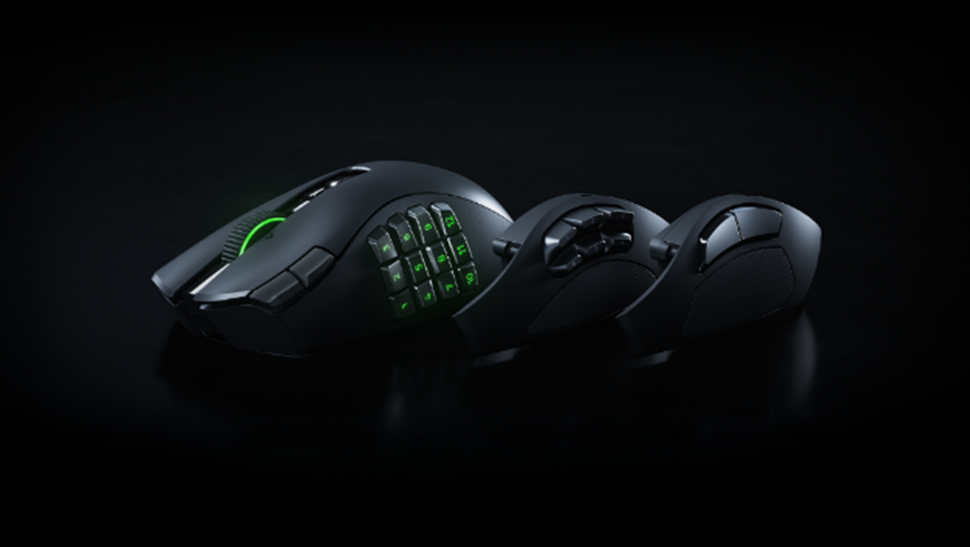
When the good people at Razer asked if The Forever Geek was interested in reviewing the new Razer Naga V3 Pro, my first thought was that there are gaming mice, and then there are gaming mice that appear to have been designed by someone who looked at a keyboard and thought, ‘ Do we really need all those keys over there’? So let’s dive in and find out.
Meet the Razer Naga V3 Pro Side Panels
The latest addition to Razer’s Naga family takes the company’s modular MMO mouse concept and gives it a pretty substantial overhaul. The result is a wireless gaming mouse that wants to be comfortable playing almost anything — from World of Warcraft and Guild Wars 2 to League of Legends, battle royale games and even FPS titles. And that versatility is really what makes the Naga V3 Pro interesting.
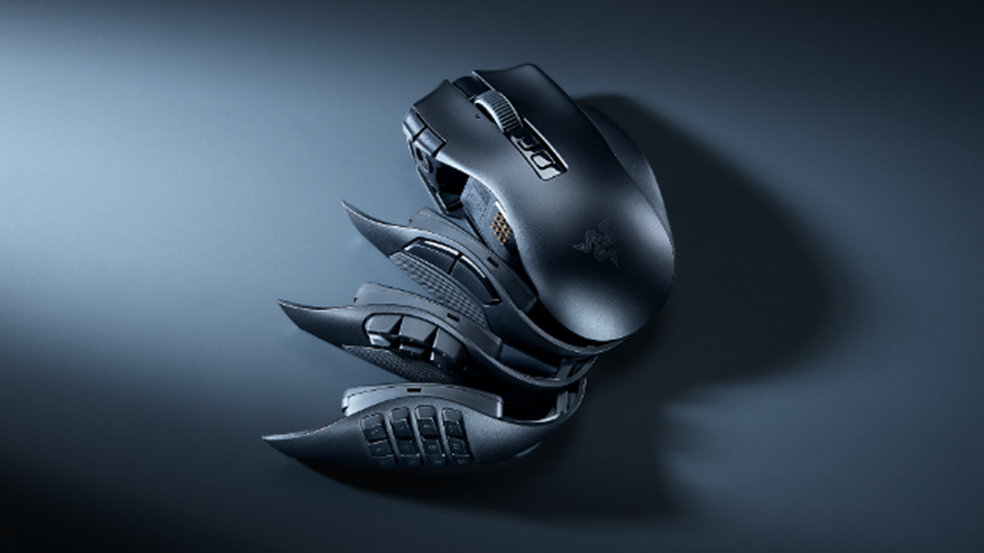
The headline feature remains those interchangeable side panels. Razer includes three of them in the box: 2-button, 6-button and 12-button configuration. The idea is simple. Instead of buying a different mouse for every genre, you can change the side panel to suit what you’re playing.
The 12-button panel is clearly the MMO specialist. It puts a T9-style keypad under your thumb, giving you access to an enormous number of abilities, macros and commands without constantly reaching across to your keyboard, and already I’m seeing that for my World of Warcraft and Guild Wars 2, that could be a serious advantage.
The 6-button panel takes a more balanced approach, aimed at MOBAs and battle royale games where you still want plenty of additional controls without turning your mouse into a small telephone keypad.
And then there’s the 2-button panel. This is the one that interests me most for everyday use. Razer specifically positions it towards FPS games such as Valorant and Counter-Strike 2, where fewer buttons can mean less clutter and a more conventional mouse experience. In my case, it would also serve as the ‘go-to work horse’ for my day-to-day productivity work here on 5D Pop Culture: The Forever Geek.
So rather than the Naga being purely the MMO mouse, the V3 Pro is really trying to become the mouse you keep on your desk regardless of what game you’re playing.

I see buttons. All the time. They’re everywhere.
With the 12-button side plate fitted, the Naga V3 Pro offers up to 23 programmable buttons. It could be argued that is an absurd number until you start thinking about what you can actually do with them.
Skills, abilities, macros, push-to-talk, inventory commands, weapon selection, movement and profile switching can all be brought closer to your thumb. There are also two new edge buttons beside the main left mouse button for DPI adjustment, plus a dedicated ring-finger button. For MMO players, this could dramatically reduce the amount of keyboard gymnastics required during a complicated encounter.
Of course, there’s a catch, because 23 buttons is only useful if you can actually remember what you’ve assigned to them. This is very much a mouse that rewards players who are prepared to spend some time configuring their setup.
The side buttons have had an important upgrade
One of the less flashy but potentially more important improvements is the move to double-shot moulded keycaps for the side buttons. Rather than printing the legends onto the buttons, Razer forms the legends into the keycaps themselves using a double-injection moulding process. The idea is that this should make the markings considerably more resistant to fading and wear, while the translucent legends allow the RGB lighting to shine through.
It’s the sort of upgrade that isn’t going to make your character suddenly do more damage, but it’s exactly the sort of detail you appreciate after several years of use.
A scroll wheel that actually sounds interesting
Yes there are some people (no judgment here), who get VERY excited about scroll wheels. The Naga V3 Pro also introduces the Razer HyperScroll Tilt Wheel Gen-2, and this could be one of the most useful upgrades here.
There are four different scrolling modes. Free-Spin gives you a smooth, almost frictionless scroll for flying through menus, inventories and long documents. Tactile mode gives you 24 distinct steps, providing more precise control. Then there’s Precision Tactile, which doubles that to 48 steps for much finer control. And finally there’s Smart-Reel, which automatically switches between tactile and free-spin on how quickly you’re scrolling……..That last one could be particularly useful outside gaming.
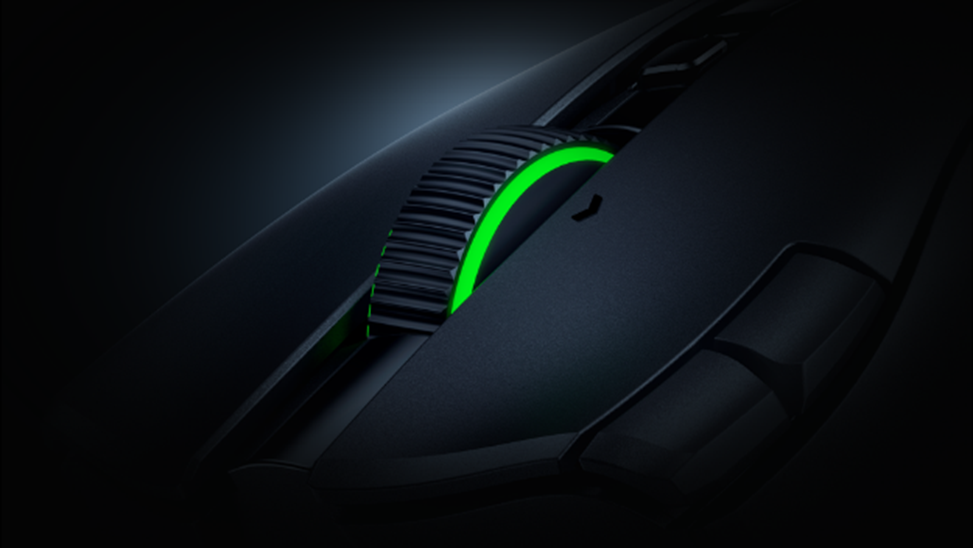
Because let’s be honest, a mouse that works brilliantly when you’re scrolling through an enormous inventory is great. A mouse that also makes navigating a ridiculously long set of prep notes for your next D&D adventure less annoying is arguably even more useful.
So lets talk hardware
Razer has upgraded the internal hardware too. The Naga V3 Pro uses Razer Optical Mouse Switches Gen-4, rated for a 100-million-click lifecycle, with Razer claiming improved durability, tactility and responsiveness over the previous generation. There’s also the Focus Pro 50K Optical Sensor Gen-3, capable of up to 50,000 DPI, 930 IPS tracking speed and 90G acceleration.
My personal thought is that 50,000 DPI is one of those specifications that sounds spectacular but isn’t necessarily something most people will ever need. What matters more is the consistency and accuracy of the sensor at the sensitivity you actually use. Razer also includes features such as Smart Tracking, Motion Sync, Frame Sync and one-DPI-step adjustment across the full range. In other words, this is clearly designed to be a very serious piece of gaming hardware rather than simply an MMO mouse with lots of buttons bolted onto it.
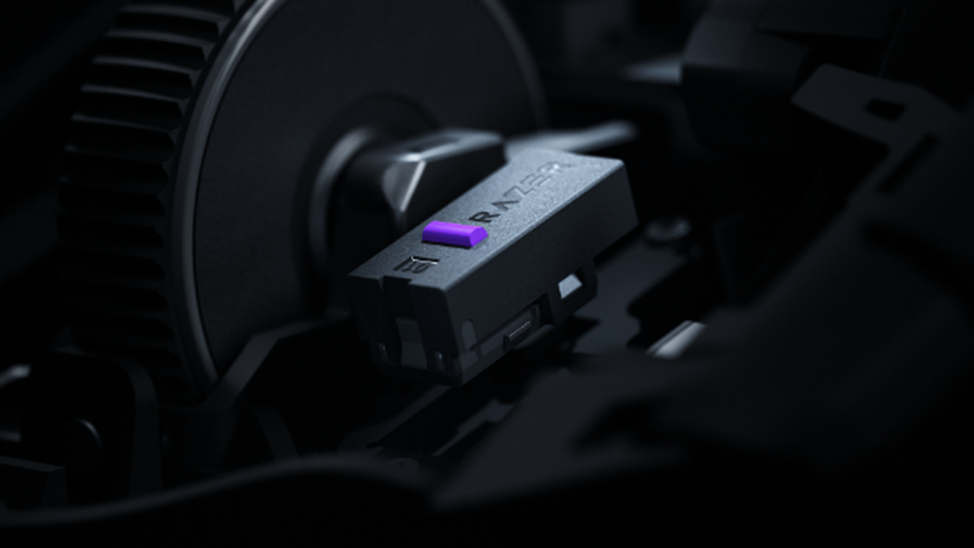
Wireless without the wires
The Naga V3 Pro uses Razer HyperSpeed Wireless, Bluetooth and USB-C wired connectivity. Battery life is rated at up to 155 hours over HyperSpeed, which is a sizeable improvement over the Naga V2 Pro’s quoted 150 hours. It also supports polling rates up to 8,000Hz — although there’s an important caveat here. The mouse ships at 1,000Hz, and reaching true 8,000Hz requires the separately sold Mouse Dock Pro or HyperPolling Wireless Dongle.
That’s worth knowing before you start imagining that your £179.99 mouse is automatically running at 8,000Hz straight out of the box. Razer has also built in a Smart Polling Rate Switcher that can automatically move between 8,000Hz during gameplay and 1,000Hz outside of games when the optional hardware is installed.

It’s lighter too. The Naga V3 Pro, with the 12 button plate, comes in at 109g, making it considerably lighter than the previous Naga V2 Pro’s 134g weight. I for one think that this is a welcome change, a mouse with this many controls could easily become a hefty beast, so reducing the weight while adding functionality is a smart move.
It remains a right-handed ergonomic design, measuring 119.5mm long, 75.5mm wide and 43.5mm high.
There’s even an AI button
Because apparently companies these days are not allowed to release a piece of technology in 2026 without mentioning AI somewhere.
The Naga V3 Pro includes AI Prompt Master, accessible directly from the mouse. According to Razer, the feature provides access to third-party AI services such as ChatGPT and Microsoft Copilot AI Engine, allowing users to rephrase, summarise and create prompts without interrupting their workflow. Whether this becomes an essential part of your gaming setup or something you press once, say “Oh, that’s interesting,” and then completely forget about is probably going to depend on how you use AI.
Still, it’s an intriguing addition.
The big question: who is this actually for?
I would propose that this is where the Naga V3 Pro makes the most sense. If you mainly play competitive FPS games and want the absolute lightest possible mouse, there are probably better options.
If you only play MMOs, you might never need the 2-button or 6-button side panels. But if you’re the sort of gamer who jumps between genres, the Naga V3 Pro becomes considerably more compelling.
One minute you’re playing an MMO with twelve buttons under your thumb. The next you’re playing a MOBA with six. Then you swap to the two-button plate for an FPS. Rather than forcing you to adapt your game to the mouse, the Naga V3 Pro is designed to adapt the mouse to the game.
The 5D Pop Culture: The Forever Geek Verdict
On paper, the Razer Naga V3 Pro looks like the most complete Naga yet. It takes the defining feature of the range — those interchangeable side panels — and combines it with a lighter design, a 50K optical sensor, Gen-4 optical switches, improved side-button construction, a genuinely interesting new scroll wheel and up to 155 hours of wireless battery life.
If the biggest question is whether it has enough features. It very clearly does……The question is whether you actually need them. At £179.99, this isn’t an impulse-buy gaming mouse. There are a wide selection of Razer gaming mice that do a more specific role, very, very well. So if you are a genre-specific gamer, this mouse may not be for you.
But if you’re an MMO player, a genre-hopping gamer, or someone who wants one premium mouse that can cover almost every gaming scenario, the Naga V3 Pro makes a very strong case for itself. In the case of the Razer Naga V3 Pro you are paying for flexibility, customisation and a considerable amount of technology.

So here’s the rub
Listen, here’s the bit I think is important with any review: would I spend my own money on it? Because while getting free gaming hardware is considerably better than getting a bill for it, that doesn’t mean I’m going to tell you something is brilliant if I wouldn’t actually buy it myself.
I may be a Forever Geek, but I don’t have an unlimited gaming budget hidden under the mattress. Getting a product to review is one thing; actually handing over my own hard-earned cash is quite another.”
So while I can tell you what I think of the product, I’ll also tell you whether I think it’s worth your money — and whether I’d be prepared to spend mine
So, would I spend my own money on the Naga V3 Pro? Honestly, no — and that’s not the same thing as saying it’s a bad mouse. It’s an excellent piece of hardware, but for the way I personally game, I don’t think I’d get enough benefit from it to justify spending my own money. And that’s exactly the sort of distinction I think a review should make.
PRICE AND AVAILABILITY
Razer Naga V3 Pro
£179.99 GBP / $179.99 USD / €199.99 EUR MSRP
Available now at Razer.com, RazerStores, and select retailers worldwide
For more gaming, tech, TTRPG and pop culture content, stick with 5D Pop Culture.
5D POP CULTURE LINKS
5D Pop Culture: The Forever Geek YouTube Channel
Check out our YouTube Channel at https://youtube.com/@5dpopcultureyoutube829?si=wGwmgWKx8fIaT3Os There are interviews, reviews, opinion pieces and all sorts of goodies from the pop culture world!
*
Subscribing to 5D Pop Culture: The Forever Geek Website
If you would like to subscribe (for free) to the 5D Pop Culture Website and keep up to date with our content then just go to the bottom of the home page, submit your email & click subscribe!
*
5D Reviews
If you are a content creator and interested in having your work reviewed here on the Website and/or YouTube channel then contact us at 5DPopCulture@gmail.com
*
Ko-fee
If you would like to donate to help this website & also gain access to extra content, you can support us here: https://ko-fi.com/5dpopculturewebsite